Watch a job go from quote to margin.
Ensemble itself, recorded as it works, with one example studio and one example client. Nothing is drawn.
The recording
About a minute, without sound: each step is said in a caption, and written out below.
The same steps, one by one
-
 01
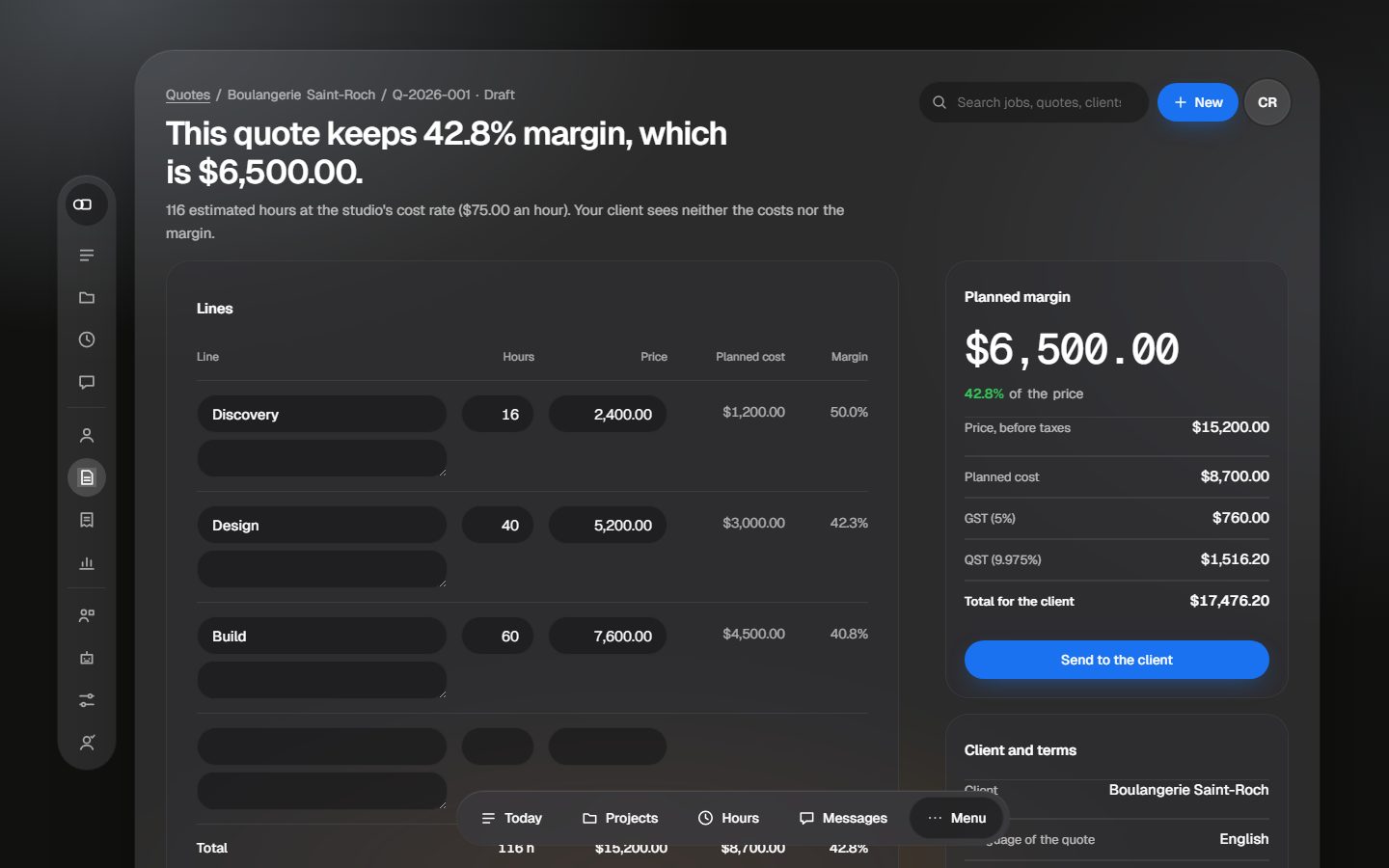
Write the quote, see the margin
Each line has its hours and its price. Ensemble counts what those hours cost the studio and shows what the job keeps before anything is sent.
-
 02
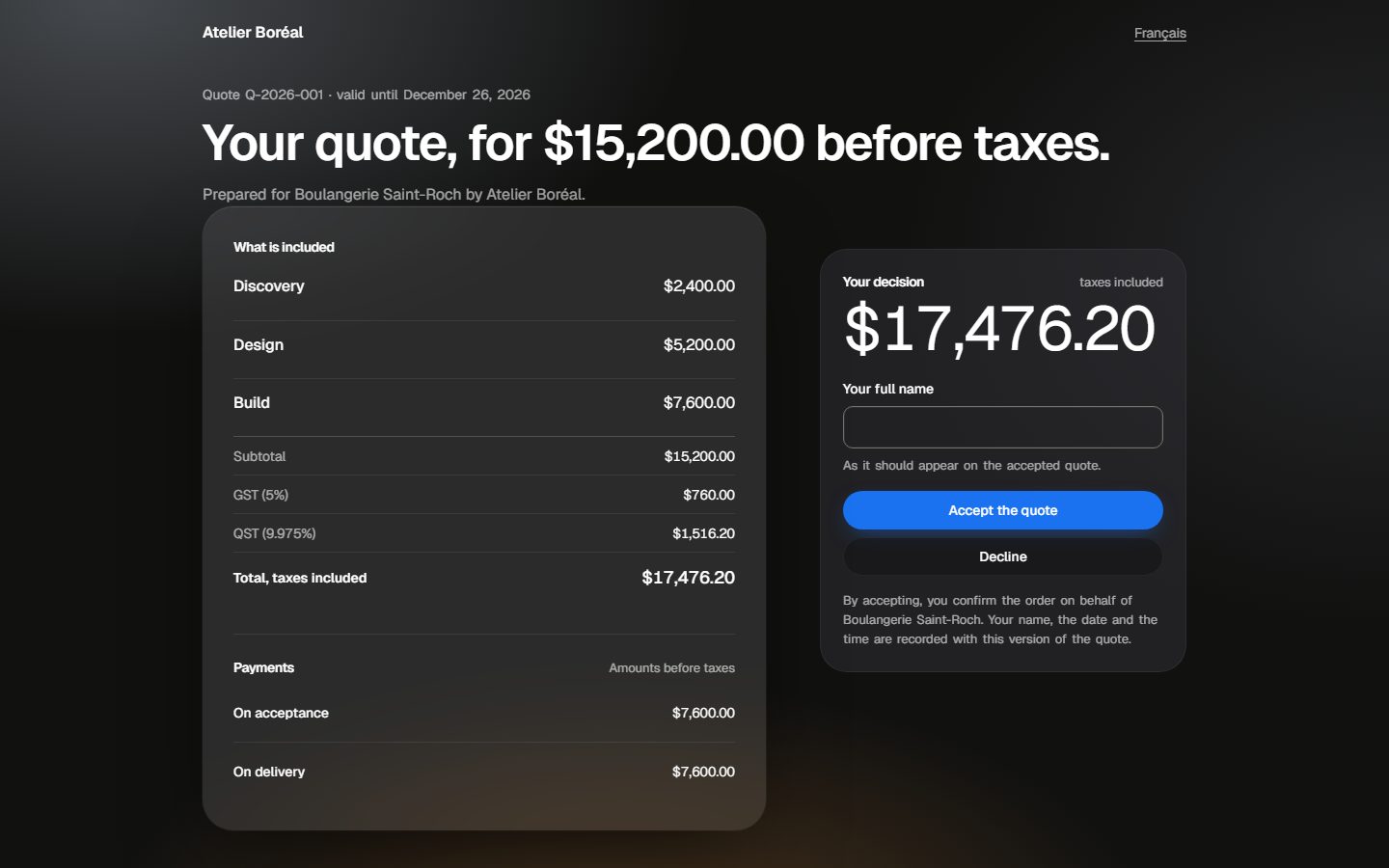
Your client accepts on a page
The client opens a link, reads the quote in their language with its taxes, and accepts by typing their name. No account, no attachment.
-
 03
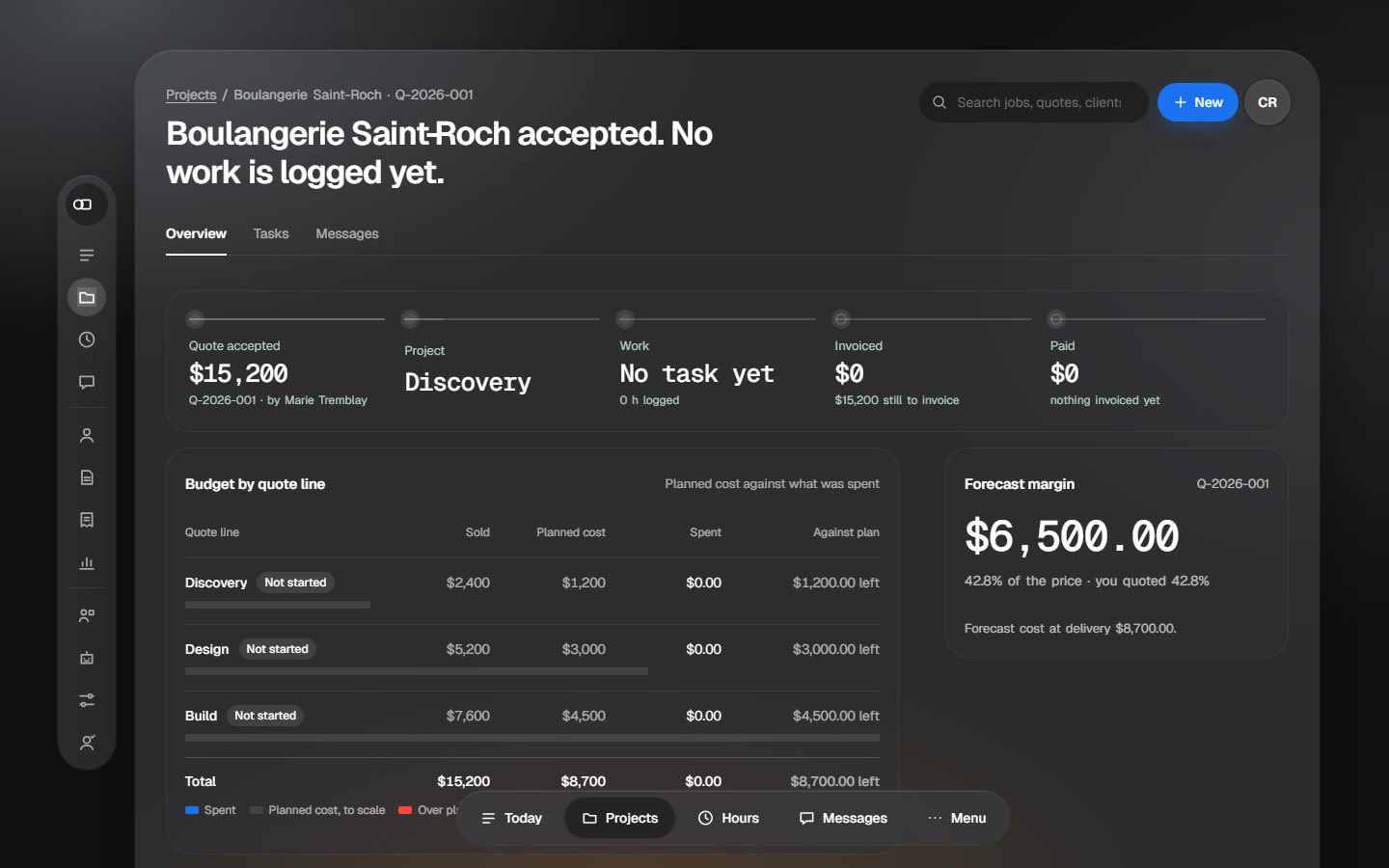
The job is ready
The accepted quote becomes the job. Its lines are the budget the team works against.
-
 04
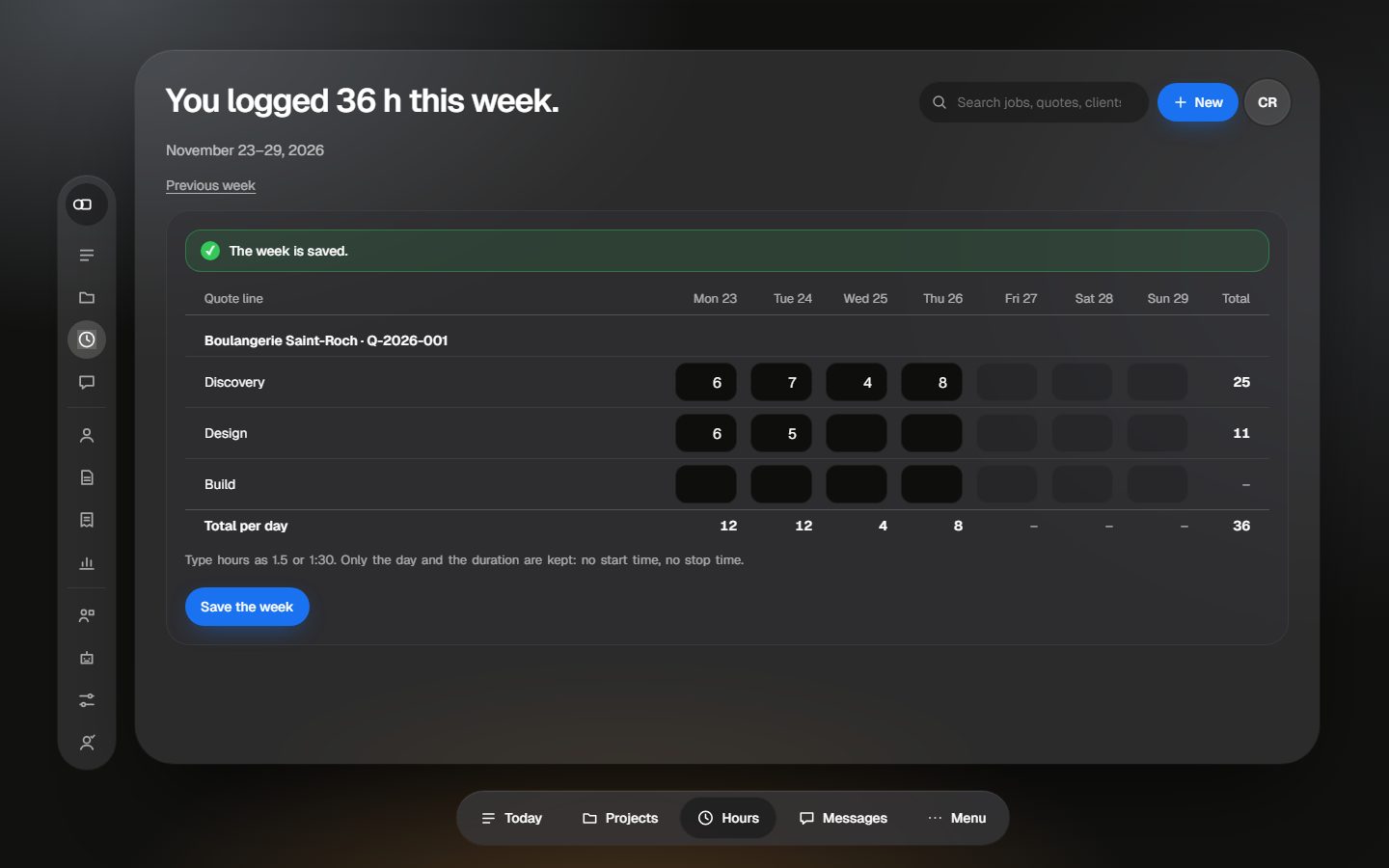
Hours land where they belong
One sheet per person per week. Each hour goes on a job and on a line of its quote.
-
 05
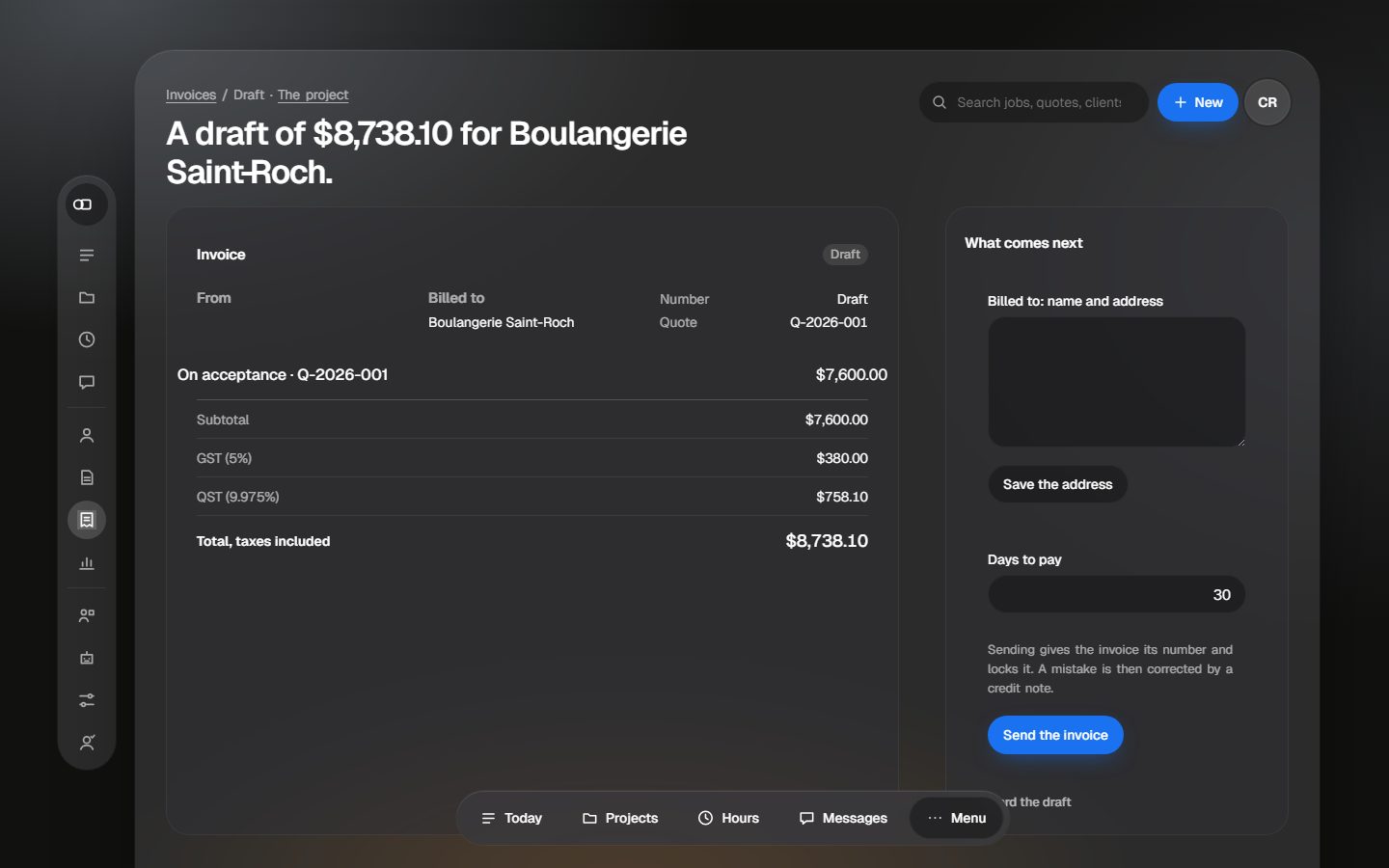
The invoice comes from the quote
Each payment the quote planned becomes an invoice, with GST and QST worked out and the next number given when it is sent.
-
 06
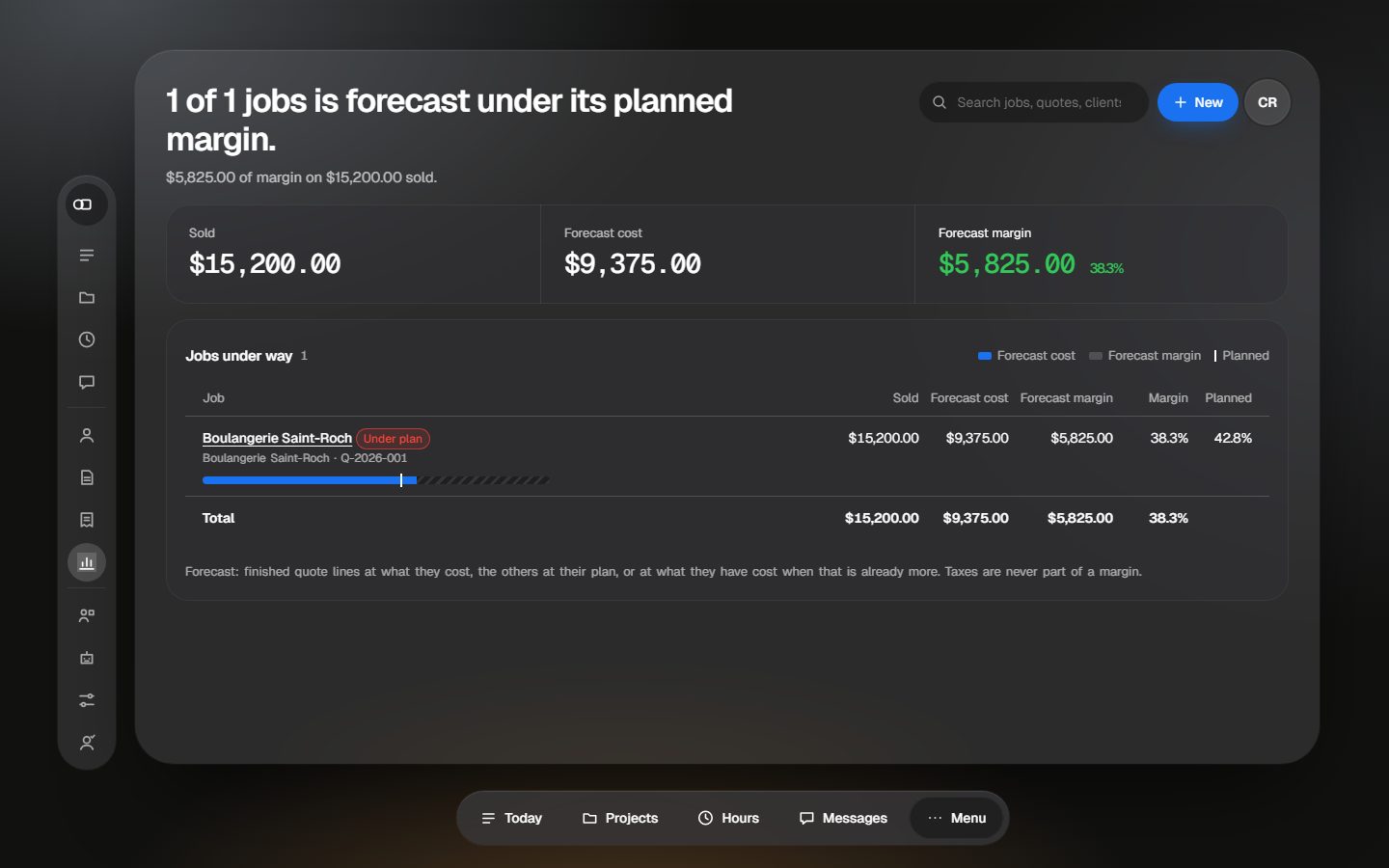
Every job shows what it keeps
Sold, forecast cost and forecast margin, for each job and for the studio, as of today.
-
 07
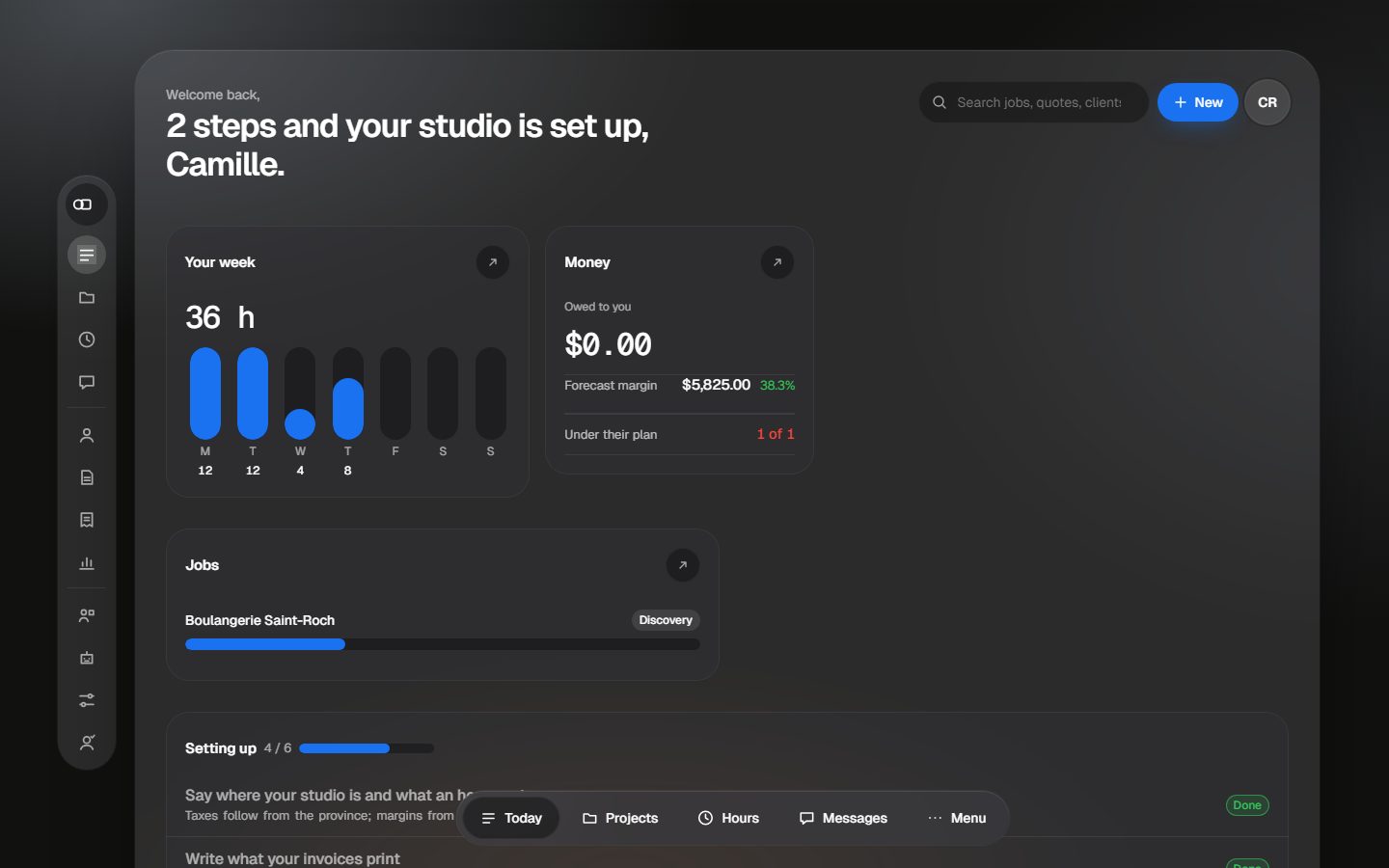
And your day starts in one place
Today shows your week, the money and the jobs, and what waits for you.